An audit package you review and approve.
ProAuditMap creates a complete draft from a few inputs. You work through it in the editor, approve it and export it to Excel and Word.
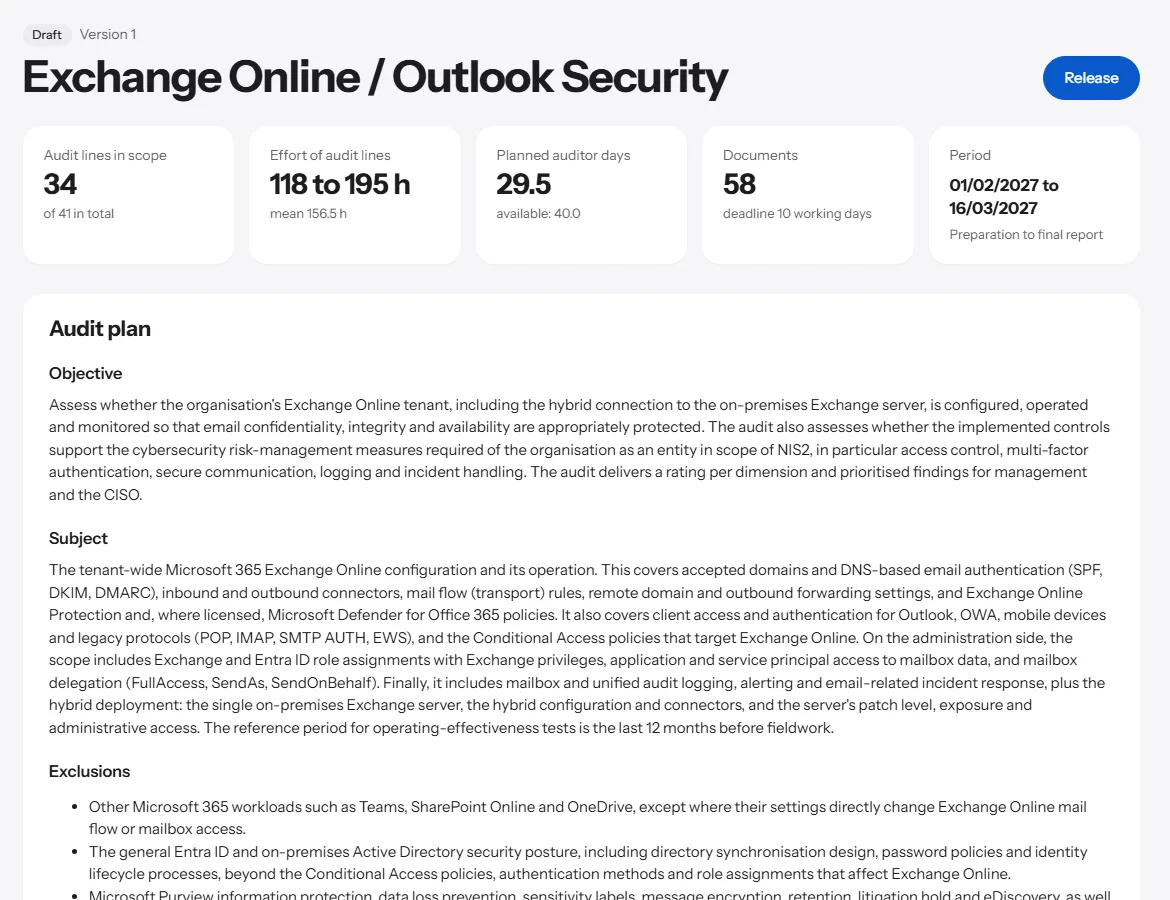
How a package is created.
-
Audit inputs
Audit topic, initial or follow-up audit, organisation size, regulation such as NIS2, DORA or ISO 27001, start date, auditor capacity, scope and package language. No personal data is requested.
-
Staged creation
First scope and audit dimensions, then the audit program per dimension, then document requests, interviews, roles, communication and the report template. You see the progress while it is being created.
-
Checked by fixed rules
Every document references an existing audit item, every audit item has evidence and a test step, every interview role appears in the RACI. Violations are either corrected automatically or remain visible as a note.
-
Editor, approval, export
Edit audit items, have them rephrased, add dimensions, compare versions. After approval you export the audit matrix, the Word documents and a ZIP with everything.
Example: Exchange Online Security.
An excerpt from the audit program of a created package. Standard references remain marked as „to be verified“ until an auditor confirms them.
| ID | Audit item | Stage | Effort | Reference |
|---|---|---|---|---|
| A-01 | Access to administrator accounts is regulated | Core | 3 to 5 h | ISO/IEC 27001:2022 A.8.2, to be verified |
| A-02 | MFA is enforced for all accounts | Core | 2 to 4 h | BSI IT-Grundschutz ORP.4, confirmed |
| B-01 | Retention and litigation hold are in place | Extended | 2 to 3 h | ISO/IEC 27001:2022 A.5.33, to be verified |
| C-01 | Security relevant events are monitored | Core | 4 to 6 h | BSI IT-Grundschutz OPS.1.1.5, to be verified |
What ProAuditMap calculates and checks.
The draft provides wording and structure. Everything that can be calculated or checked is handled by ProAuditMap with fixed rules.
- Dates, totals and effort are calculated, not written.
- Names of contact persons are entered only in the editor.
- Every change creates a new version. Nothing is silently overwritten.
- Packages are created in German or English, independently of the interface language.
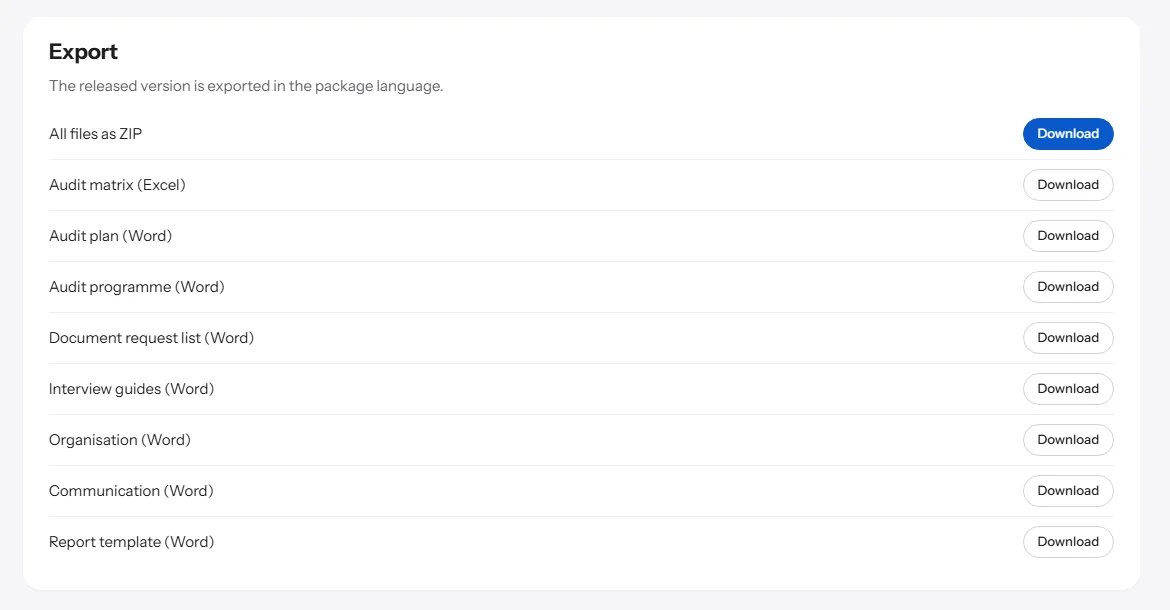
Export for teamwork.
After approval the exports are ready.
-
Audit matrix as Excel
One sheet per dimension, plus document requests, schedule, RACI and evaluation. Columns for assessment and finding are prepared.
-
Word documents
Audit plan, audit program, document request list, interview guides, organisation planning, communication and report template.
-
Audit note
Every document carries the note „Reviewed by“ with the name and date of approval.
After the package: the whole audit cycle.
Planning, fieldwork, findings and the portal work with the same audits, versions and the same log as the audit package.
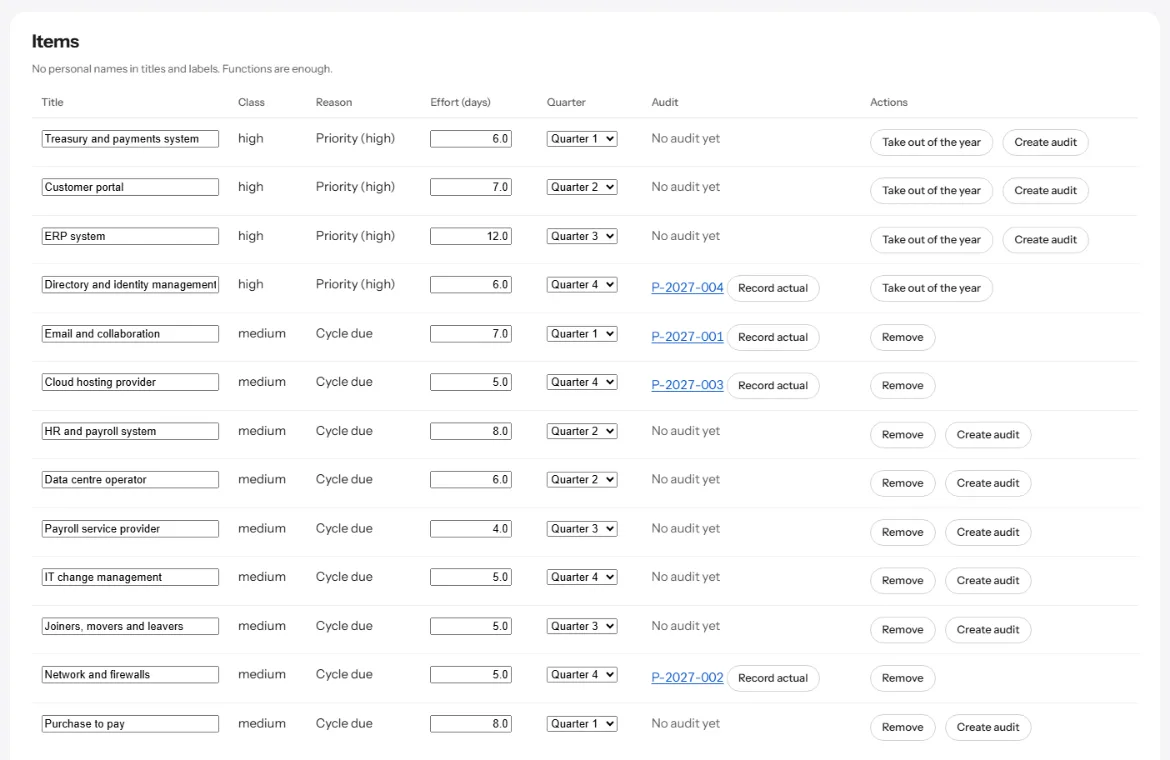
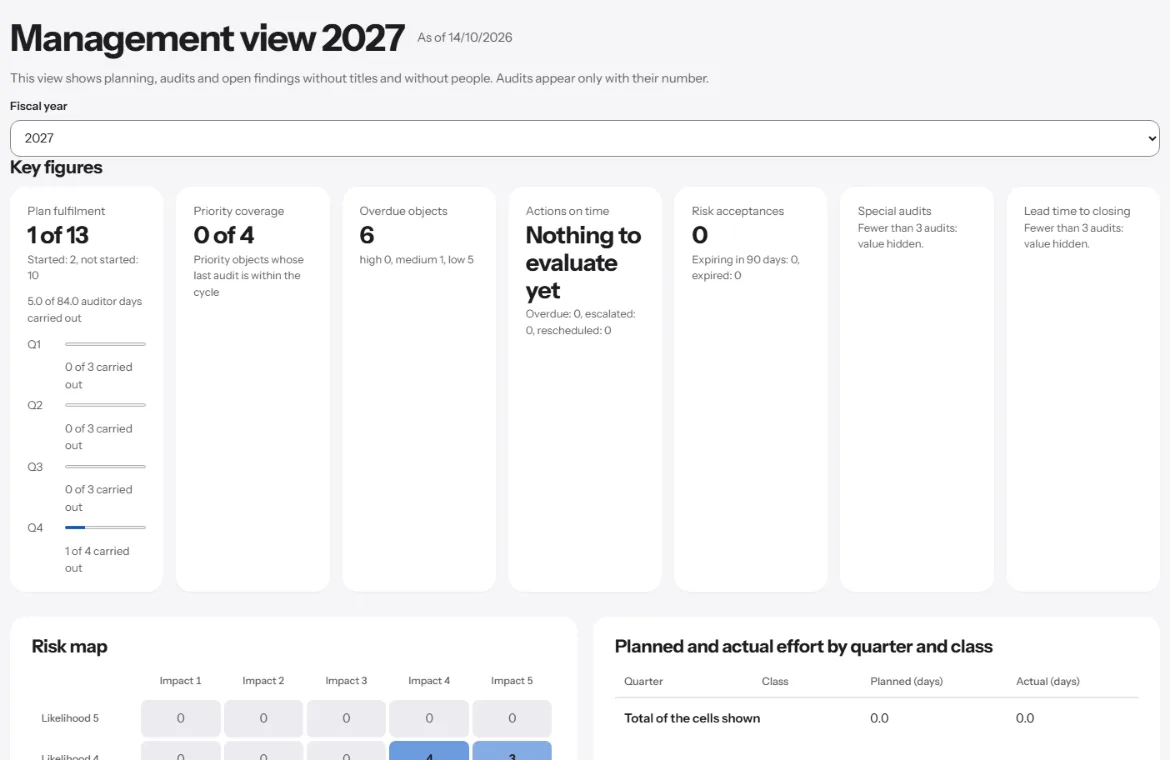
Annual planning and leadership view
From the audit universe to an approved annual plan, with key figures for the head of audit and the board.
-
Audit universe and risk model
Audit objects from CSV or XLSX with a preview before they are applied and a way to revert the import, up to 5,000 rows per file. A risk model with up to 12 factors; a new model becomes active only after comparison with the previous one.
-
Plan proposal and resolution
The proposal includes all due priority objects and fills up to net capacity. A quarter above 120 percent of its capacity is flagged. Resolution, plan changes with a reason and acknowledgement by management are kept as versions.
-
Dashboard, board report, leadership view
Eleven key figures from plan fulfilment to lead time. The board report freezes its figures when it is created. The leadership view shows audits by number only and no evaluation by person.
From the Team plan.
Fieldwork
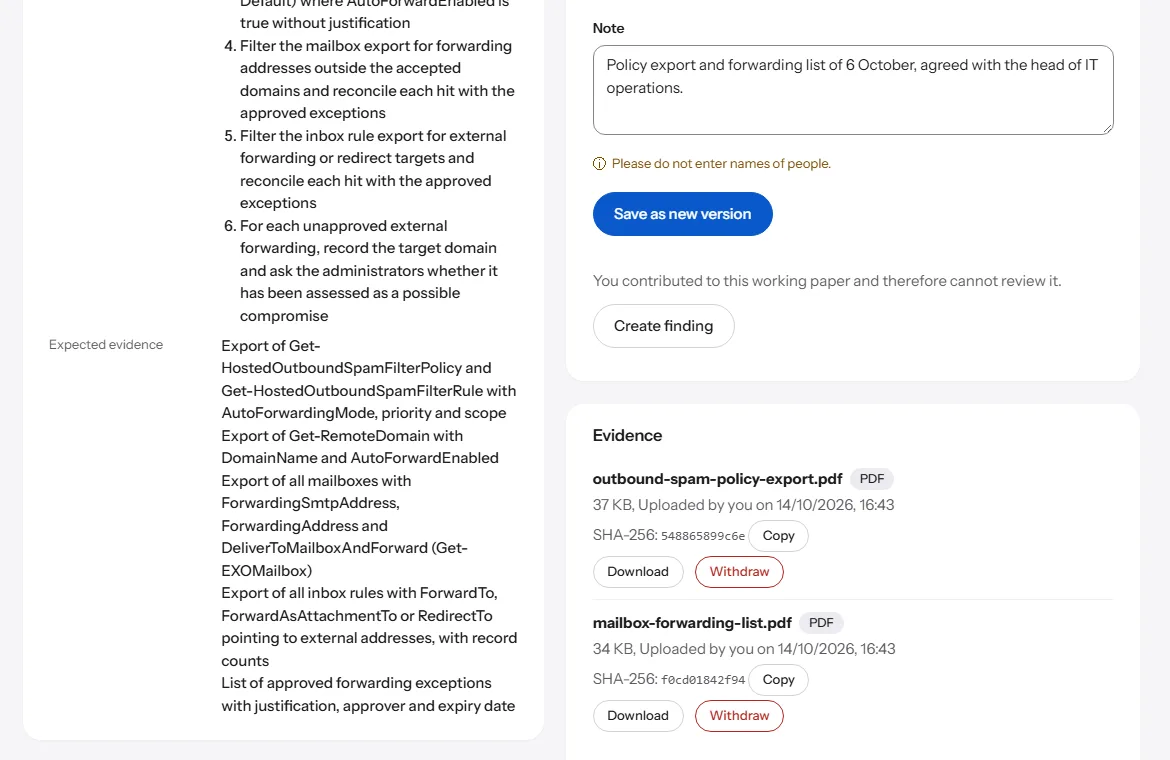
Every audit line gets its working paper. Evidence sits where it is assessed.
-
Working papers and evidence
Evidence up to 25 MB per file, with a checksum on upload and a malware scan before it is stored. Documents with macros are rejected.
-
Samples
You draw samples in the working paper. If a sample changes after review, it is reviewed again; after closing, samples are locked.
-
Review and closing
Review is done by someone other than the preparer; in a team with exactly one seat a self-review is marked as such. After closing, the audit goes to the archive with a verification script.
From the Starter plan.
Findings and tracking
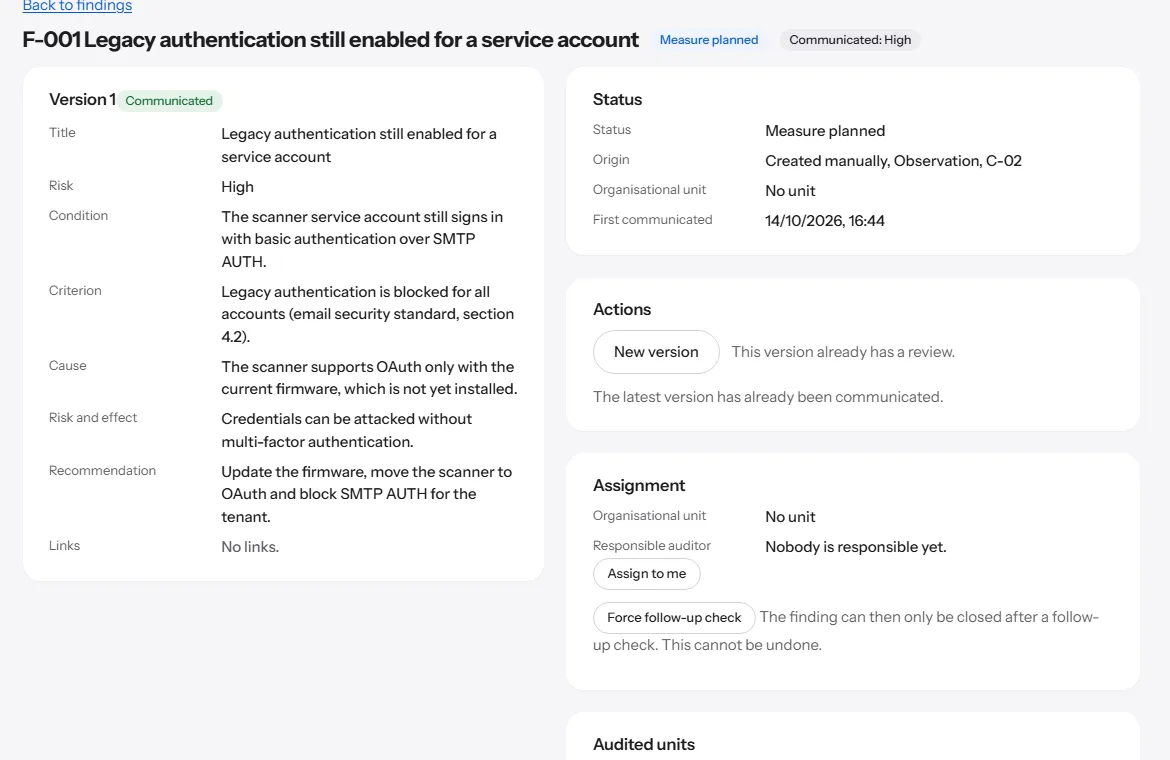
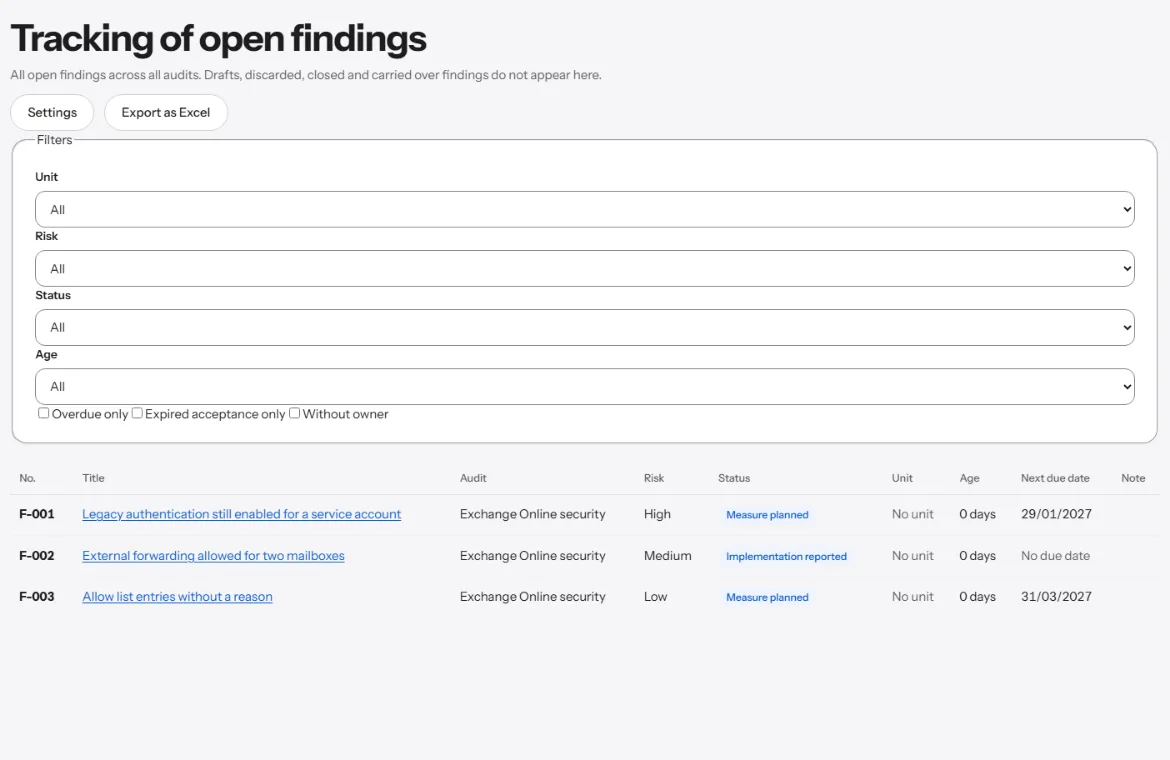
From the finding in the working paper to verified implementation of the action.
-
Findings with review
Five fields: condition, criterion, cause, risk and effect, recommendation, plus the risk rating high, medium or low. Only a version accepted in review is communicated, after that it cannot be changed.
-
Actions and reminders
Actions with a responsible function and due date, reminders and escalation when overdue. A new due date applies only through an approved request.
-
Risk acceptance and follow-up check
Risk acceptance with function, reason and end date. For high-risk findings, closing requires a follow-up check; if implementation is not effective, the finding is reopened.
From the Team plan.
Portal for audited units
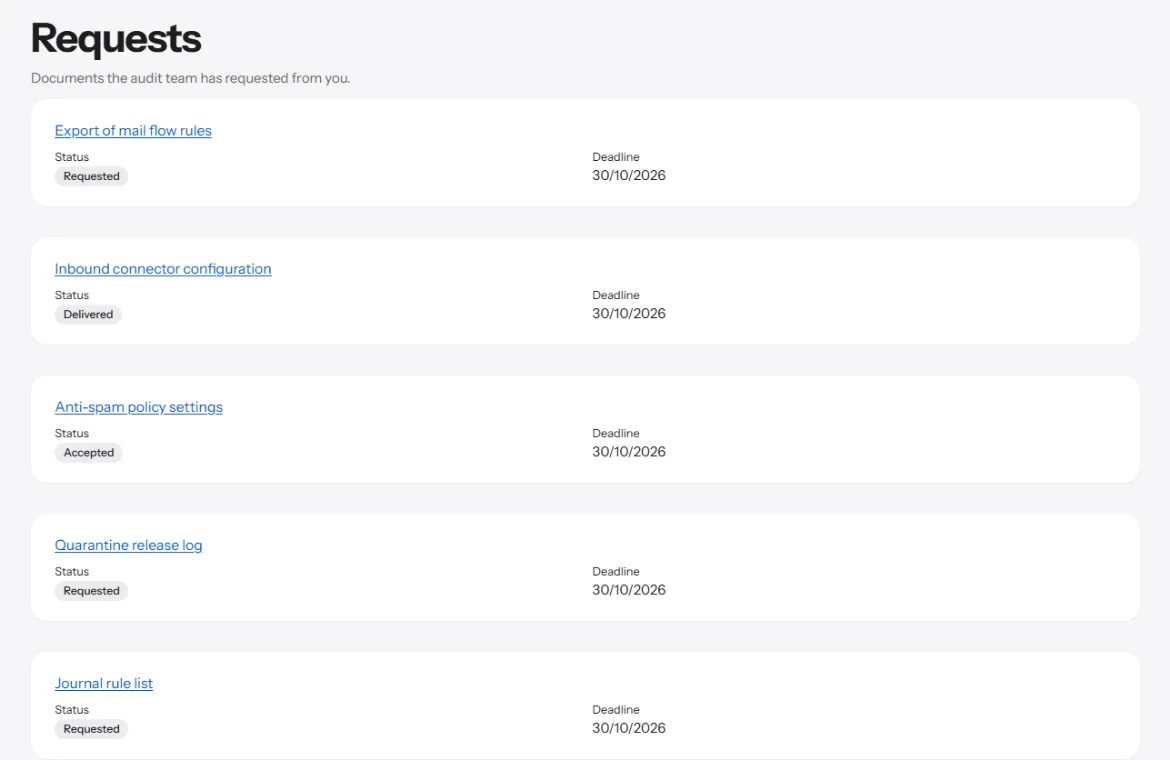
The audited unit works in its own portal instead of e-mail attachments. After your approval, the autopilot sends requests and questions, reminds on the schedule you set, escalates what is overdue and fills the draft report from the audit data. Assessment, opinion and approval stay with you; the final report is also available as Word.
-
Document requests
Requests with status, follow-up requests and delivery in the portal. Delivered files can be taken over as evidence into the working paper. Open requests block closing.
-
Responses and final report
Responses to the draft report within a deadline; submitted responses stay unchanged. The released final report is available in the portal with its checksum.
-
Reporting implementation
The audited unit reports the implementation of an action and requests new due dates. Internal audit decides, and every step appears in the timeline of the finding.
From the Team plan.
Layout and regulations.
-
Word exports in your own layout
The administration uploads a Word template. The Word documents take over its styles, design, page format and header and footer with images. The audit note stays on every page.
-
Regulatory radar
When a new version of a regulation appears in the catalogue, ProAuditMap marks the audit lines whose reference no longer applies unchanged there and offers a change proposal for each line. It detects removed, replaced and renamed references, not changed wording under the same number. Nothing is applied without your decision.
Integrations for Business and Enterprise, on request: read API and Power BI, Microsoft Teams and SharePoint, Jira and ServiceNow. Send a request