Ten inputs are enough.
Audit topic, initial or follow-up audit, organisation size, regulation such as NIS2, DORA or ISO 27001, start date, auditor capacity, scope and package language. No personal data is requested.
Audit planning for audit teams
Audit program, document requests, interviews, schedule and communication. Created in one pass, reviewed by you, versioned in an audit proof way.
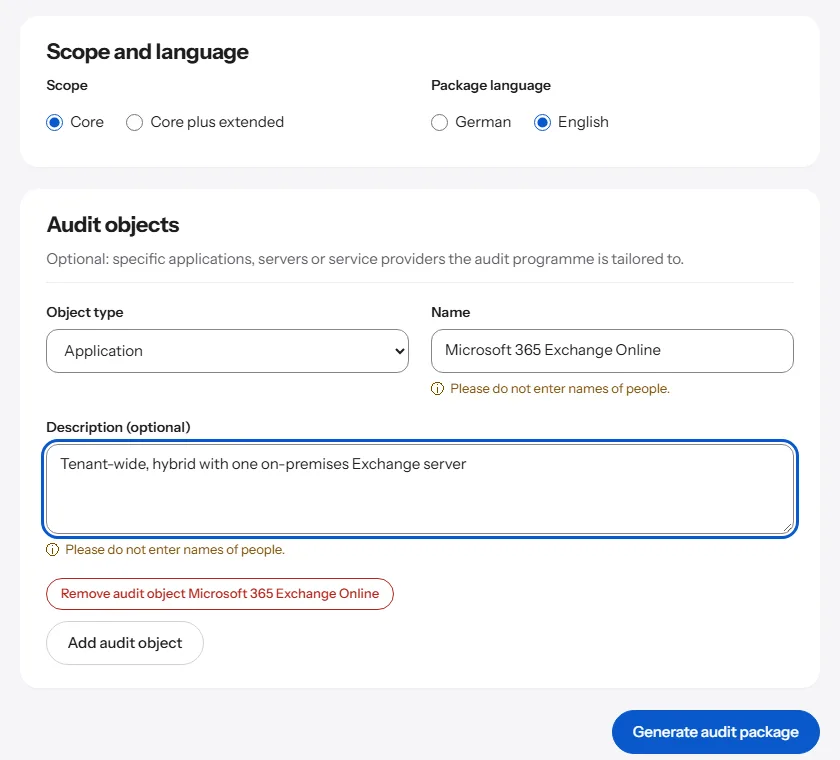
You enter the topic, scope, regulation, start date and auditor capacity. ProAuditMap builds a connected package from this, in which every document and every interview question references an audit item.
Objective, boundaries and four to six audit dimensions with a guiding question. Each audit item comes with a target criterion, audit procedure, evidence, test steps and an effort range in hours.
A document request list with recipients and deadlines, plus interview guides per role, each referencing the relevant audit items.
Phases and dates calculated in working days, roles with RACI, drafts for the announcement, document request and kick-off, plus a report template.
Five steps. You get a draft, every decision stays with you.
Audit topic, initial or follow-up audit, organisation size, regulation such as NIS2, DORA or ISO 27001, start date, auditor capacity, scope and package language. No personal data is requested.
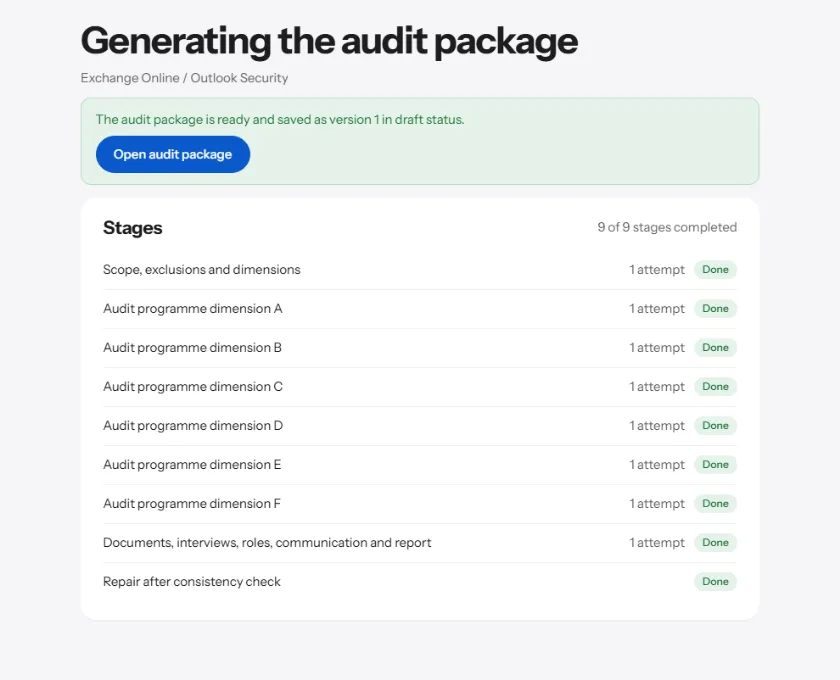
First scope and audit dimensions, then the audit program per dimension, then document requests, interviews, roles, communication and the report template. You see the progress while it is being created.
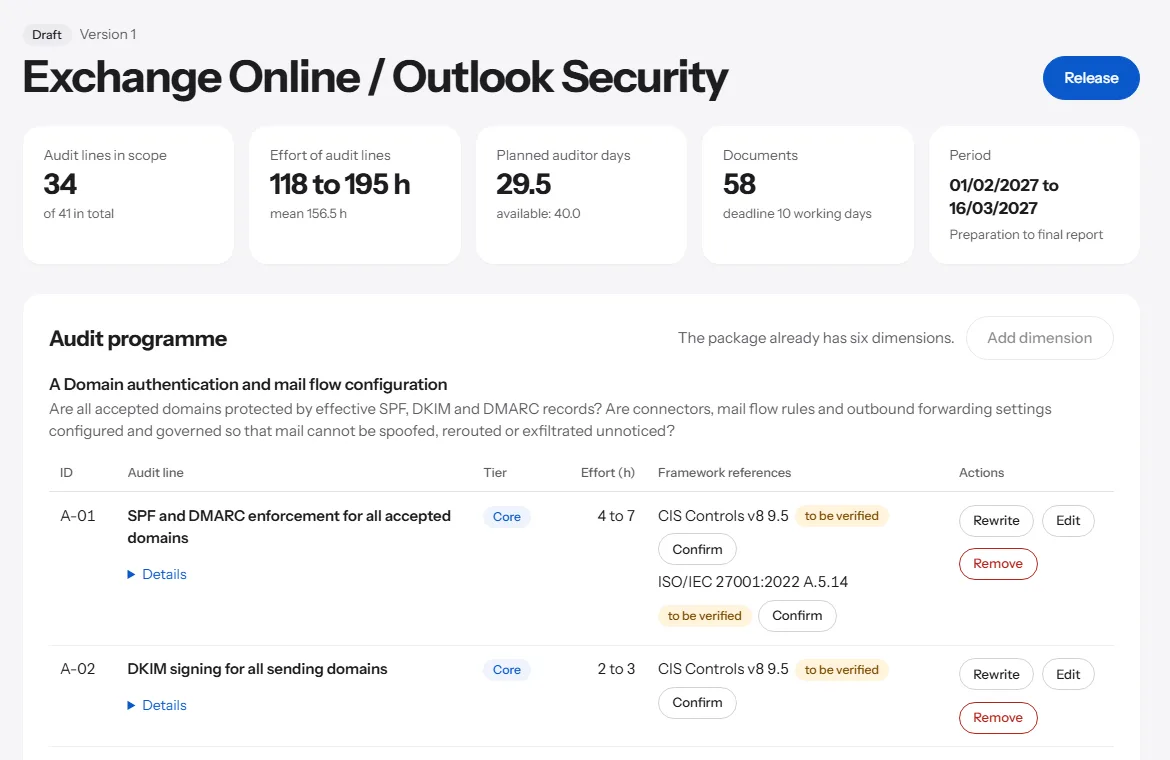
Edit audit items, have them rephrased, add dimensions. Standard references carry the note „to be verified“ until you confirm them.
A package can only be approved once no consistency errors remain open. Dates, effort and the name of the approving person are then frozen.
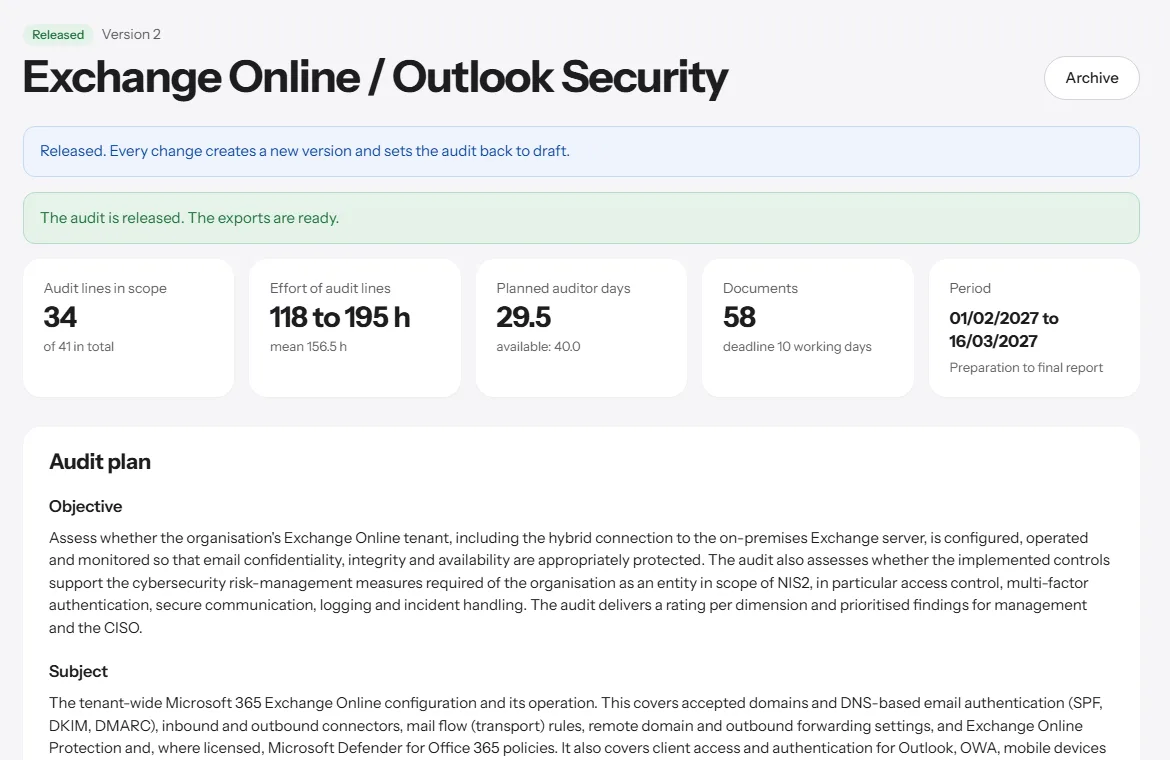
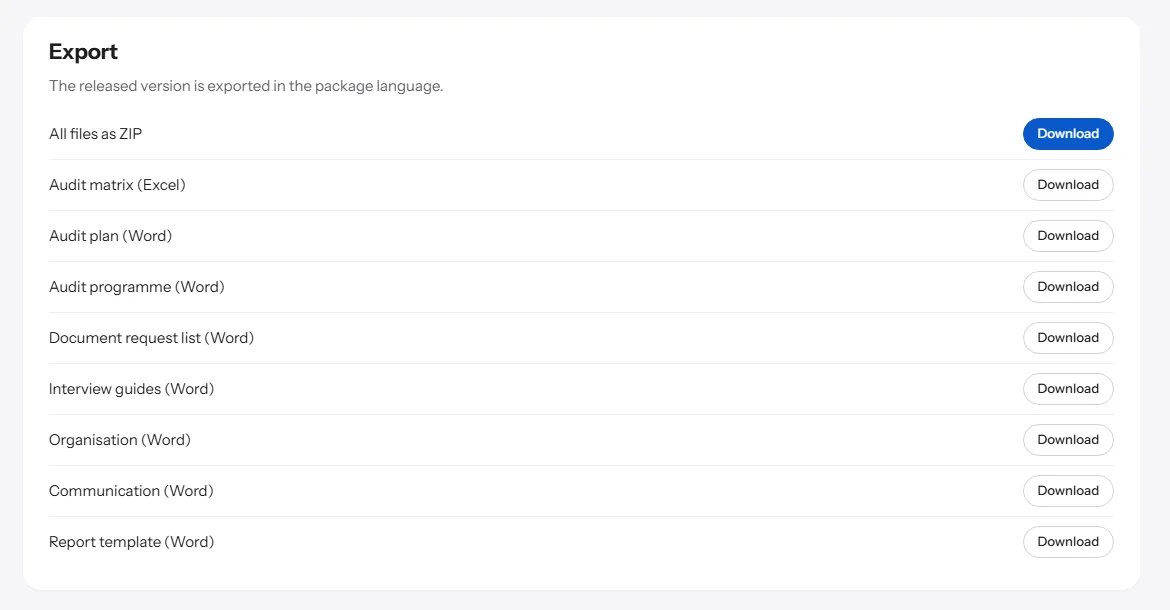
After approval you export the audit matrix, the Word documents and a ZIP with everything. Every document carries the audit note with the name and date of approval.
The audit package is the start. After that you plan, audit, report findings and follow up in the same application, with one log for everything.
Audit universe with a risk model, a plan proposal up to net capacity, resolution and acknowledgement by management. The dashboard shows eleven key figures, among them plan fulfilment per quarter.
Working papers per audit line, evidence with checksum and malware scan, samples, review and closing with an archive.
Findings with condition, criterion, cause, risk and recommendation. Actions with a responsible function and due date, reminders, risk acceptance with an end date and follow-up checks.
Final report from the findings with a checksum of the PDF file, responses of the audited unit in the portal, board report and read-only leadership view.
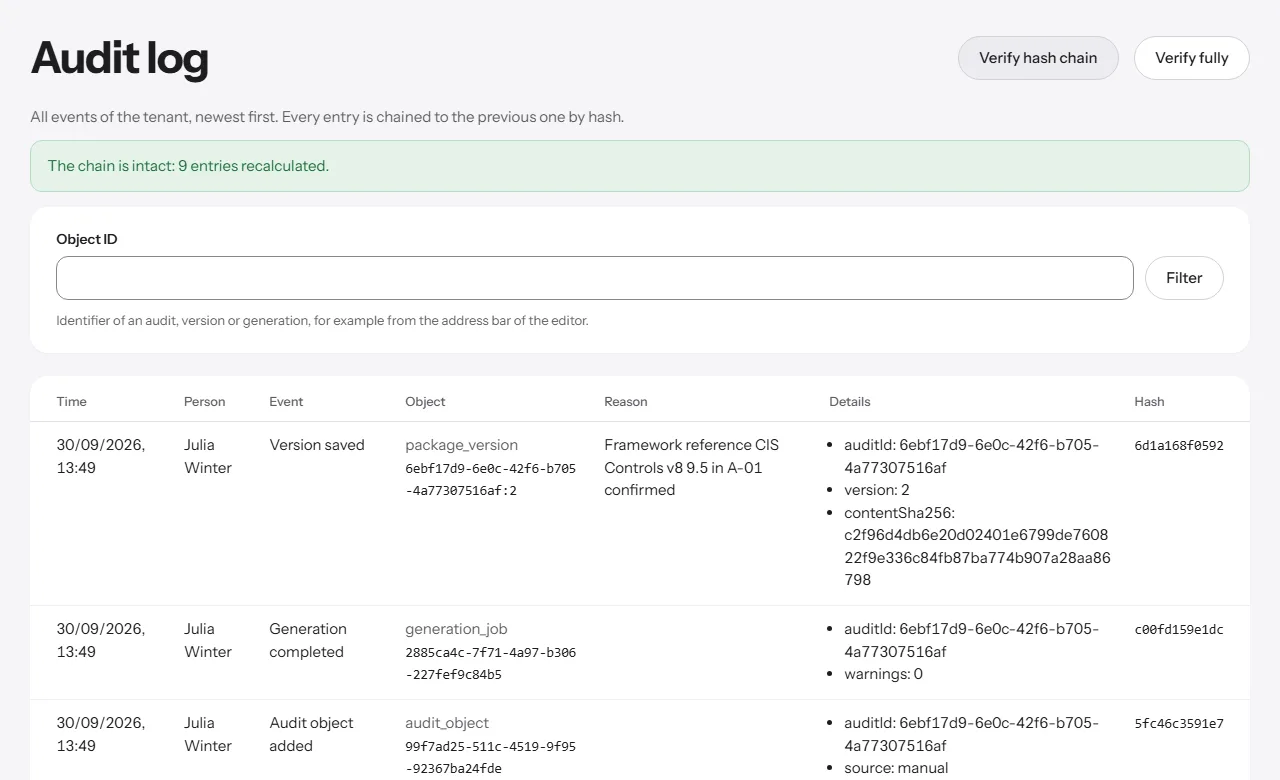
ProAuditMap takes the groundwork off your hands, not the judgement. Every suggestion stays visible as a suggestion until you confirm it, and every change is versioned.
Schedule, totals and effort are calculated by ProAuditMap itself, in working days and with the public holidays of your state, canton or country.
Standard references in the draft carry the note „to be verified“ until you confirm them. A package can only be approved once it has no consistency errors.
Whether a partial revision of the draft or your own edit: a new version is created with author, time and reason. Older versions stay readable and comparable.
Samples with audit objective, procedures and expected evidence, readable without an account.
Audit package, fieldwork with working papers and evidence, findings with action tracking, final report, a portal for audited units and annual planning with dashboard and leadership view. Fieldwork is included from Starter, findings, portal and annual planning from Team.
Yes. ProAuditMap imports audit programs from Excel and Word, up to 120 audit lines per audit, with column mapping and a preview before they are accepted.
Through the portal: they deliver requested documents, respond to the draft report, report the implementation of actions and request new due dates.
ProAuditMap does not evaluate by person: no key figure, no board report and no function of the leadership view aggregates data by person. A works agreement template and a privacy notice are on the works council page.
No payment method is needed to register. Audit packages and partial revisions are available with a booked plan, monthly or annually.
Export to Excel, Word and ZIP is available from the first payment. A trial with an allowance is available by invitation only; ask via the contact page.